

I’ve been wearing my WHOOP tracker for the last 10 days, and these are my early impressions.
I wear a watch on my right wrist and put my WHOOP on my left. I’ve never worn anything on my left wrist before, so it took a day or two to get used to. After that, I mostly stopped noticing it — except when putting on a coat and being mildly surprised when something caught my sleeve.
Showering with it felt odd at first. The version I have came with a fabric band, and it does stay damp for a while after getting wet. I found that removing it briefly to clean my skin and pat the strap dry helps a lot. Even when I left it damp, it didn’t take long to fully dry.
One thing I noticed right away: unlike my old Fitbit, I haven’t seen any sensor lights at night unless I physically lift the WHOOP off my wrist. That’s a small detail, but a welcome one.
The App: Screenless Device, Very Full App
While WHOOP itself is slim and screenless, the app is packed with data. In the first 10 days, I’ve been checking it often — partly out of curiosity, partly because new insights keep appearing as more data is collected. That has already tapered off a bit as I settle into a routine.
I’ve started activities like hikes or rowing sessions directly in the app, and I’ve also added activities retroactively by telling it I went for a walk between specific times. I haven’t seen automatic activity detection yet, but most of my higher-strain activities were ones I manually logged anyway.
Journaling: Simple, but Surprisingly Powerful
I’ve settled into a fairly consistent journaling routine. WHOOP prompts me each morning to complete the previous day’s journal, and I can also edit past days if needed.
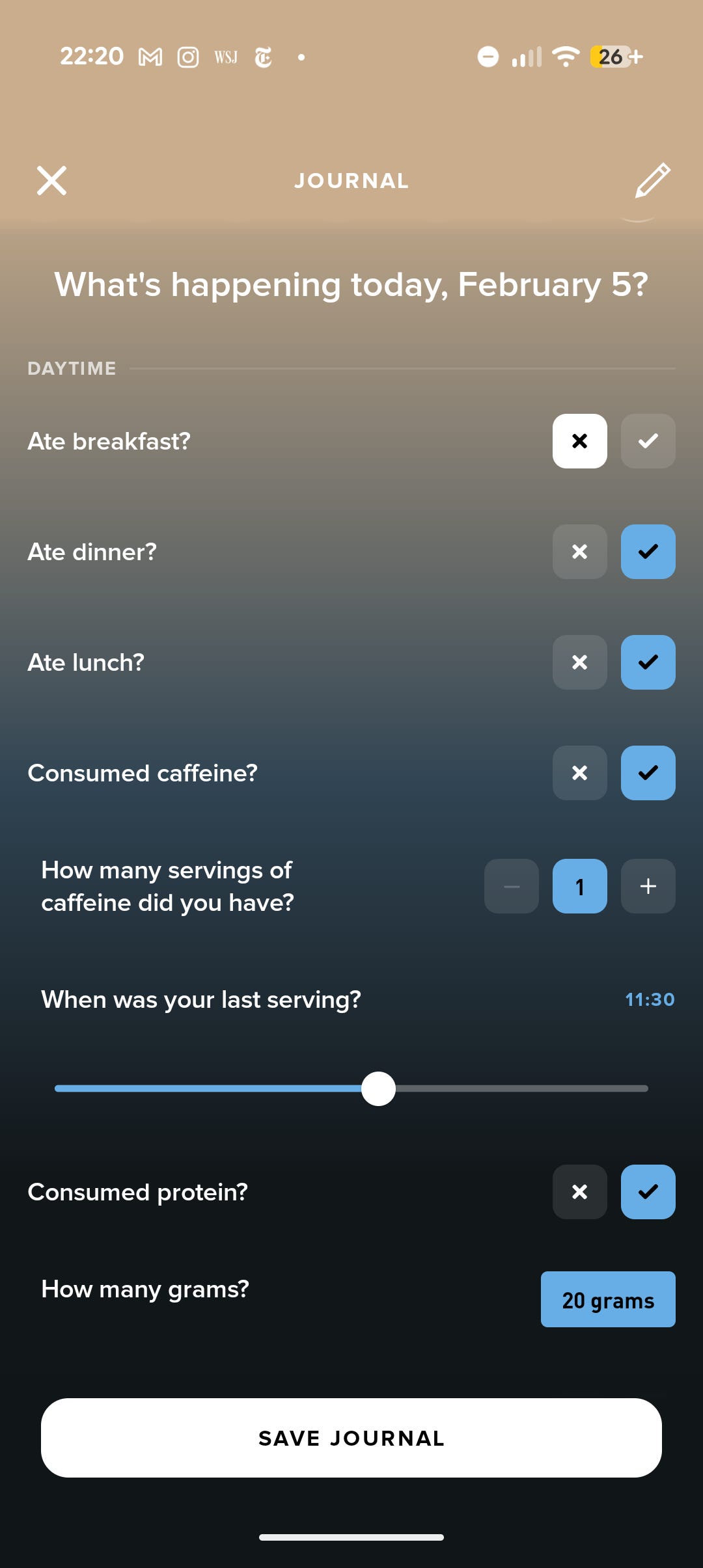
The yes/no questions are simple, but I’ve already noticed how hard it is to remember specifics — like when I last had caffeine — even one day later. Entering information during the day works much better for me.
There are over 160 behaviours you can track. I’ve trimmed mine down to what feels realistic and relevant.
Daytime
Ate breakfast / lunch / dinner
Consumed caffeine (amount and timing)
Consumed protein (grams)
Felt nervous or anxious (severity)
Had alcoholic drinks (amount and timing)
Hydrated sufficiently (glasses)
Received red light therapy (duration)
Took probiotics
Took creatine (milligrams)
Took vitamin D
Travelled on a plane (duration and landing time)
(I temporarily tracked things like back pain, zinc, and anti-inflammatory medication while I was unwell, but removed them once they were no longer relevant.)
Nighttime
Ate close to bedtime
Sleep disruption (duration and timing)
Read a non-screen device in bed
Shared the bed
Slept in a dark room
Slept in a loud environment
Slept in the usual bed
Took melatonin
Used a screen device in bed
Status
Feeling sick or ill
So far, it’s too early to see meaningful correlations between journaling and physiological data — which is expected. WHOOP needs time.
In the first few days, WHOOP mostly reported basic stats. By day 10, more and more insights have appeared, and the amount of information is honestly impressive.
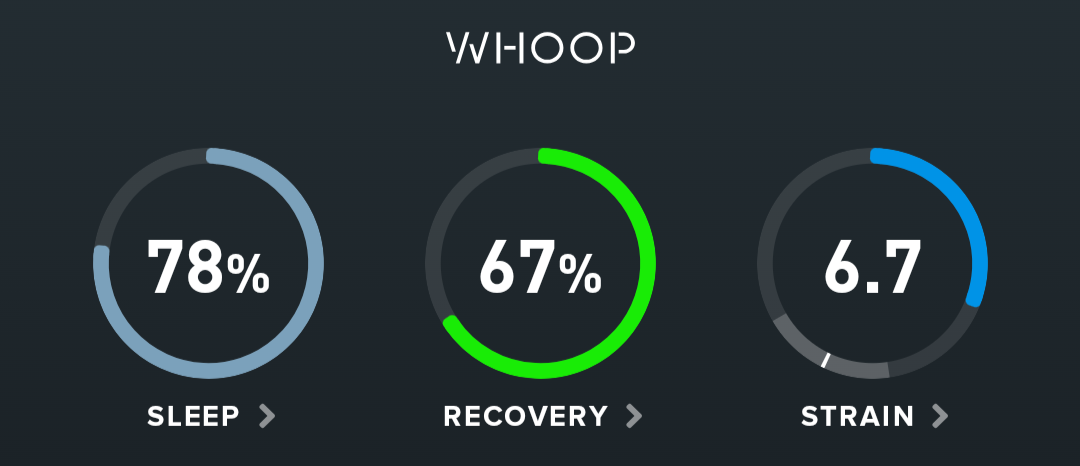
On the dashboard, I can see sleep, recovery, and strain scores. These shifted around a bit early on as the system calibrated. In simple terms, sleep reflects how well I met my body’s sleep needs, recovery indicates how ready my body is for the day based on overnight physiological signals, and strain measures how much cardiovascular load I accumulate throughout the day from both exercise and normal activity.
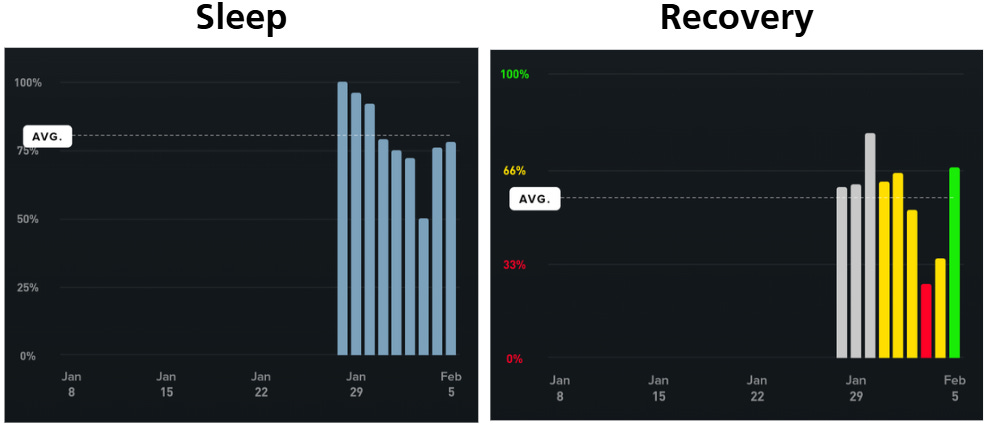
For example, after my first night, I received a sleep score of 100 — which clearly wasn’t realistic yet. Sleep scoring is based on duration vs. need, consistency, efficiency, and sleep stress, and those metrics settle as more data is collected.
Recovery stayed fairly steady until I got sick. When that happened, both my sleep score and recovery dropped sharply — which perfectly matched how I felt. I hit a low recovery score of 26% on my worst day. After about four days, the green / amber / red indicators appeared, which seems to mark when WHOOP has enough baseline data to be more confident.
Strain behaved exactly as advertised: it climbed throughout the day and jumped during workouts or hikes. WHOOP describes strain as non-linear — “the higher your strain gets, the harder it is to build more.” That tracks with what I’ve seen.
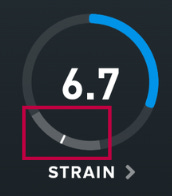
Recently, a target strain has appeared. This is based partly on recovery and is meant to suggest an optimal amount of strain to maximize performance without overtraining. I haven’t tested this much yet, since I’m still recovering from being sick, but it’s an interesting concept.
Getting Sick: Data That Matches Reality
I had planned to be flying for a few days during these first 10 days, but instead I got sick. While my dataset is still very new, many WHOOP users report that certain metrics can flag illness before symptoms appear.
I didn’t see any early warning this time — which isn’t surprising given the short baseline — but once I felt unwell, the data lined up perfectly.
Both sleep and recovery dropped sharply. Digging into the details, I saw:
Increased sleep debt
Less restorative sleep
Lower heart rate variability
Higher resting heart rate
Increased respiratory rate
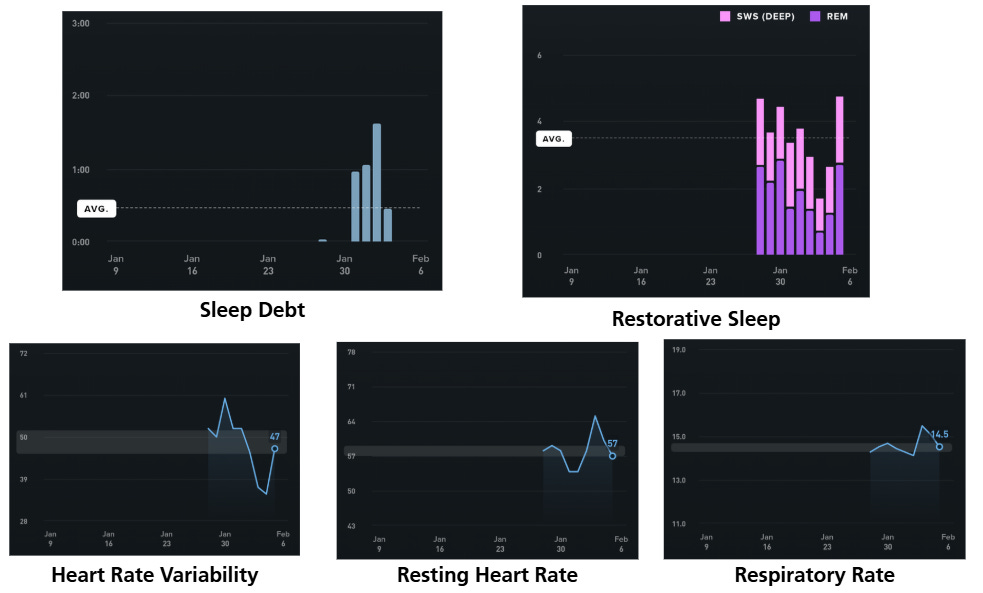
That alignment between “how I feel” and “what the data shows” is reassuring.
Sleep Coaching: Helpful, With Caveats
Because I’ve been home sick, I’ve had time to experiment with WHOOP’s sleep tools. You can choose between optimizing sleep habits (useful when consistency is possible) or simply meeting your sleep need (more practical when travelling or on irregular schedules).
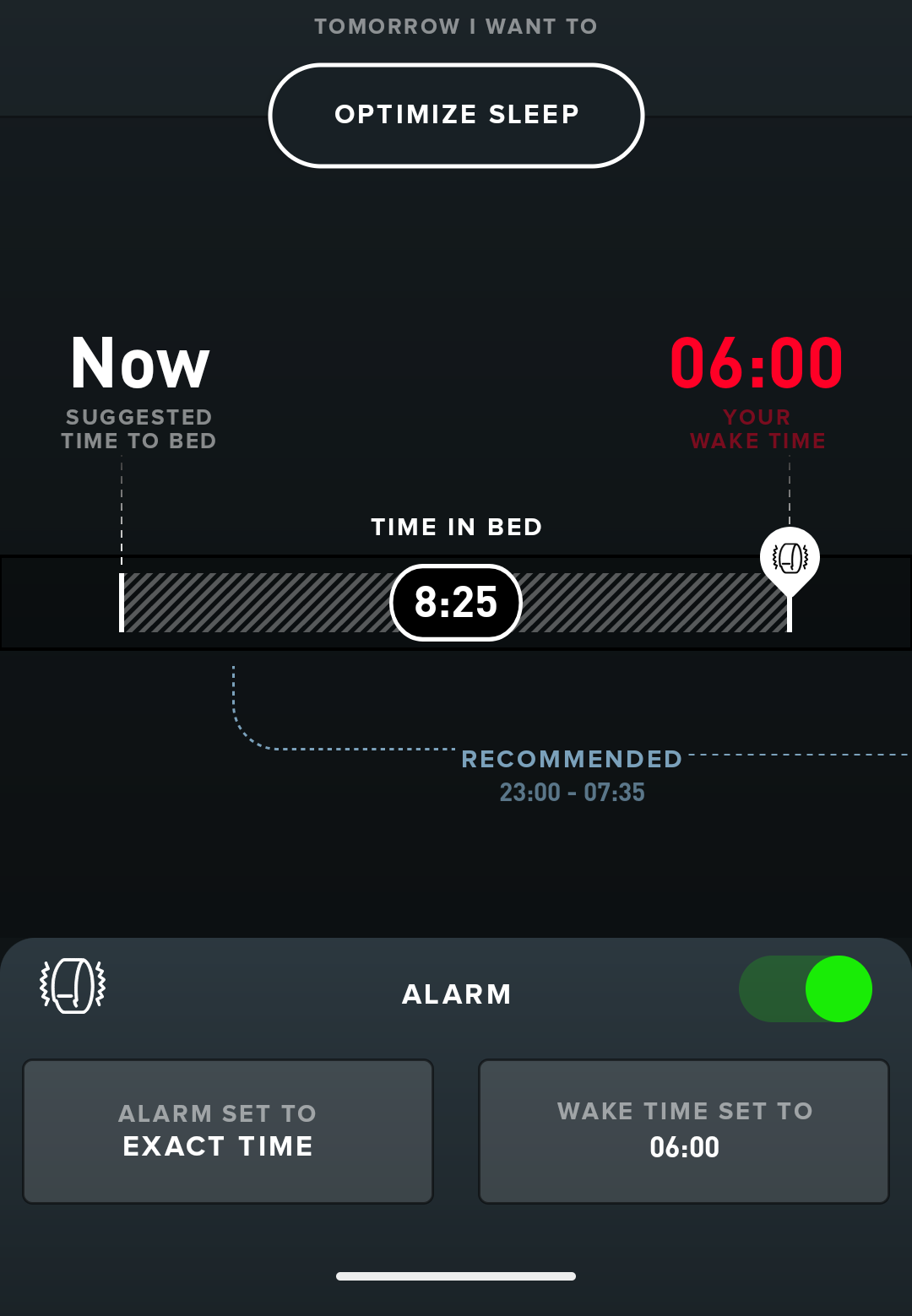
Based on when I want to wake up, the app suggests a bedtime — and I can even choose what percentage of my sleep need I want to hit. Asking for 100% suggested nearly 10 hours in bed, which isn’t realistic most of the time. I’m hoping that as WHOOP learns more about me, those suggestions will tighten up.
One interesting observation: when I was sick and spending a lot of time in bed, the sleep recommendations didn’t always match how I felt. I wanted rest, even if the app thought I’d already had enough. It’ll be interesting to see how this behaves the next time I’m unwell (not that I’m eager to test that).
Charging: Surprisingly Easy
One last note: charging is effortless. The wireless battery pack clips onto the WHOOP, and in theory the band can last up to 14 days, with the charger holding multiple full charges. You can even charge while wearing it — in the shower or swimming — though for now I’m sticking to topping it up while sitting around.
Early Verdict
After 10 days, I’m genuinely impressed.
The timing hasn’t been ideal thanks to illness, but the data has been fascinating, and the app interaction feels intuitive. I didn’t expect the strain target to influence my behaviour as much as it already has — it’s making me think differently about movement, even on lower-energy days.
I’m looking forward to seeing what additional insights appear over the next few weeks.
You can find all posts in the Flying with WHOOP series here:
👉 https://substack.thomaspaul.ca/t/whoop